Month at a glance
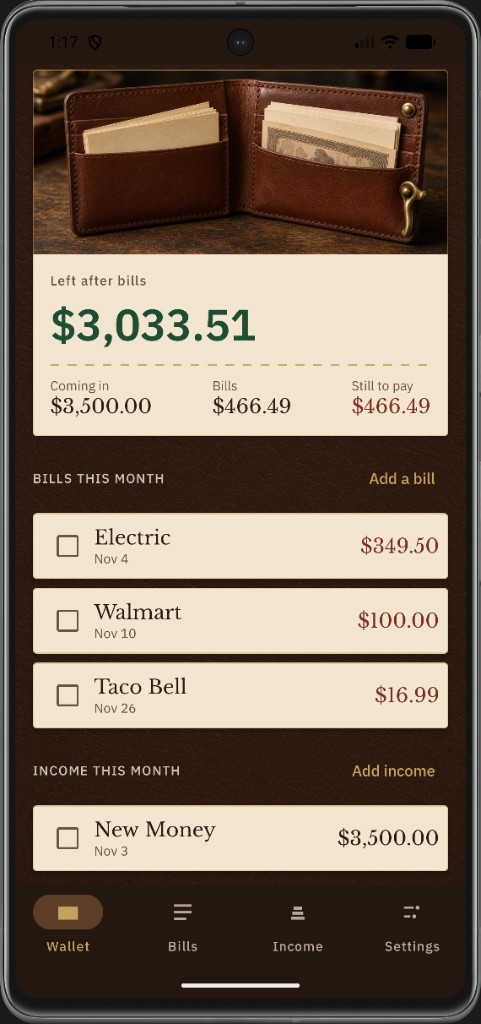
See what’s left after bills, what’s coming in, and what’s still to pay for the month you’re in.
KeeneSmartApps
Bills and income in one leather wallet — due dates, paid marks, reminders, and a local backup. Offline by design. Nothing uploaded.
Built for the month
Track repeating bills, paychecks, and extras on this phone — with category totals and a PIN that never leaves the device.
See what’s left after bills, what’s coming in, and what’s still to pay for the month you’re in.
Weekly, biweekly, monthly, or one-time — mark paid or received, sort by date, category, or amount.
Choose the time of day. Hold My Wallet nudges you on each bill’s due date with your tone.
Built-in and custom categories, with totals that count every occurrence in the selected month.
Save a wallet backup file before a new phone or reinstall — restore bills, income, PIN, and settings.
Offline ledger. Optional 4-digit PIN. No ads, no analytics SDKs, no Keene Smart Apps cloud vault.
Product
Browse full-size screens. Click a shot to expand — demo data only.
How to install
This is a Google Play trial period (phones only — not tablets or iPhone). Do the steps below in order. Use the same Google account for the group and Play.
Android phone only. Open these links on your phone, not a computer.
Tap the button → on Google Groups tap Join group → then come back here.
1. Join Google GroupTap the button below to open Google Play.
2. Open on Google PlayIf you haven’t opted in yet, tap Become a tester.
On that same page, tap Download it on Google Play to install.
If you already joined the group and opted in earlier, you can skip those steps and go straight to download.
Trust
Public https policy for store review, Data safety, and in-app Settings. Same on-device story as the wallet in your hand.
Read the privacy policy
Keene Smart Apps LLC
Contact: support@keenesmartapps.com
Site: keenesmartapps.com